ID Card Printer Cost Per Card: Five-Year TCO in Euros
Most buyers compare ID card printers on purchase price, then discover two years later that the ribbon bill is bigger than the printer. The real number is the ID card printer cost per card: what each printed badge costs once the printer, the ribbon and the volume you actually print are added together. This guide works it out with real part numbers, real ribbon yields and our own catalogue prices, so you can see which printer is cheapest for your volume over five years.
All prices below are SCANSHOP list prices excluding VAT at the time of writing (November 2026). Blank cards are left out of the per-card figures because you buy the same CR80 PVC card whichever printer you choose. Add your card price on top.
Which card printer is cheapest per card for your volume?
| Your situation | Order this | Why |
|---|---|---|
| Up to a few hundred colour badges a year, one office, USB is fine | Zebra ZC100 Quick Start Kit (ZC11-0000Q00EM00) | Lowest five-year cost in both of our scenarios, starter ribbon and 200 cards in the box |
| Badges where the photo and logo fit on one half of the card | Any ZC printer plus Zebra half-panel YMCKO ribbon (800300-370EM) | About 0.155 EUR of ribbon per card, roughly 40% less than full colour |
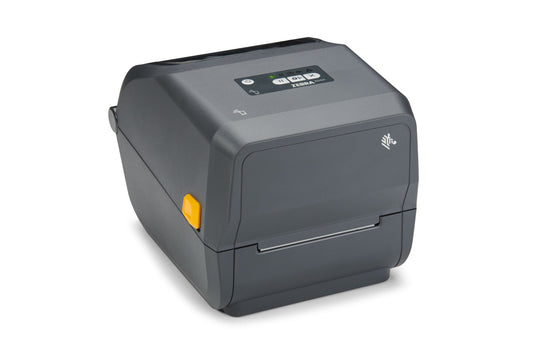
| Thousands of cards a year, network printing, future RFID or mag stripe encoding | Zebra ZC300 single-sided (ZC31-000C000EM00) | Faster, Ethernet as standard, encoders can be added later |
| Already running Evolis, or you want the Evolis software stack | Evolis Primacy 2 single-sided (PM2-0001-E) | Comparable per-card cost to the ZC300, half-panel ribbon available |
| Text-only visitor or membership cards | Any ZC printer plus Zebra black monochrome ribbon (800300-301) | About 0.014 EUR of ribbon per card |
What does the ribbon cost per card?
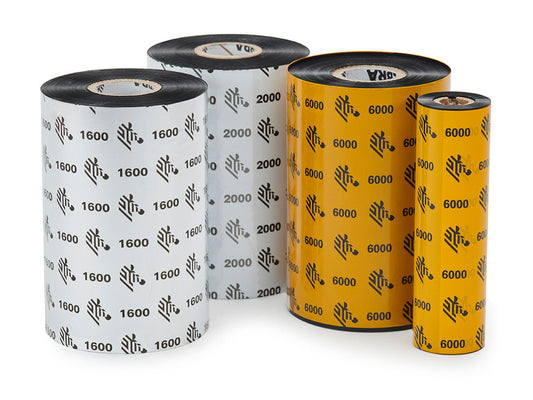
A colour card ribbon is a roll of repeating panels: yellow, magenta, cyan, black resin and a clear overlay (YMCKO). Every card uses one full set of panels, whether you print a photo or a single line of text. That makes the cost per card easy to calculate: ribbon price divided by rated yield.
| Ribbon | Fits | Type | Rated yield | Price excl. VAT | Ribbon cost per card |
|---|---|---|---|---|---|
| Evolis CBGR0100C | Badgy100, Badgy200 | YMCKO | 100 cards | 44.28 EUR | 0.443 EUR |
| Evolis R5F202E100 | Primacy 2 | YMCKO | 200 cards | 62.37 EUR | 0.312 EUR |
| Zebra 800300-250EM | ZC100, ZC300 | YMCKO | 200 cards | 54.65 EUR | 0.273 EUR |
| Evolis R5F208E100 | Primacy 2 | YMCKO | 300 cards | 82.22 EUR | 0.274 EUR |
| Zebra 800300-255EM | ZC100, ZC300 | YMCKO | 300 cards | 78.19 EUR | 0.261 EUR |
| Evolis R5H204E100 | Primacy 2 | Half-panel YMCKO | 400 cards | 69.93 EUR | 0.175 EUR |
| Zebra 800300-370EM | ZC100, ZC300 | Half-panel YMCKO | 400 cards | 62.19 EUR | 0.155 EUR |
| Zebra 800300-301 | ZC100, ZC300 | Black monochrome | 2000 cards | 27.32 EUR | 0.014 EUR |
Two things stand out. First, the cheapest printer to buy, the Badgy200, has the most expensive ribbon per card. Second, the half-panel ribbons cut the colour cost by roughly 40%. A half-panel ribbon prints colour on half of the card and black plus overlay on the whole card. On a typical employee badge with a photo on the left and text on the right, nobody can tell the difference.
Five-year cost of an ID card printer: two real scenarios
The totals below are printer price plus the number of whole ribbons needed. Starter consumables included in the boxes are ignored, which slightly flatters the printers that do not include them. Single-sided colour printing in all cases.
Scenario A: 500 colour cards a year (2,500 cards over five years)
| Printer and ribbon | Printer | Ribbons | Ribbon cost | Five-year total |
|---|---|---|---|---|
| ZC100 Quick Start + 800300-370EM half panel | 897.62 EUR | 7 | 435.33 EUR | 1,332.95 EUR |
| ZC100 Quick Start + 800300-250EM | 897.62 EUR | 13 | 710.45 EUR | 1,608.07 EUR |
| Primacy 2 PM2-0001-E + R5H204E100 half panel | 1,217.30 EUR | 7 | 489.51 EUR | 1,706.81 EUR |
| ZC300 ZC31-000C000EM00 + 800300-370EM half panel | 1,417.11 EUR | 7 | 435.33 EUR | 1,852.44 EUR |
| Badgy200 B22U0000RS + CBGR0100C | 754.75 EUR | 25 | 1,107.00 EUR | 1,861.75 EUR |
| Primacy 2 PM2-0001-E + R5F208E100 | 1,217.30 EUR | 9 | 739.98 EUR | 1,957.28 EUR |
| ZC300 ZC31-000C000EM00 + 800300-255EM | 1,417.11 EUR | 9 | 703.71 EUR | 2,120.82 EUR |
Scenario B: 3,000 colour cards a year (15,000 cards over five years)
| Printer and ribbon | Printer | Ribbons | Ribbon cost | Five-year total |
|---|---|---|---|---|
| ZC100 Quick Start + 800300-370EM half panel | 897.62 EUR | 38 | 2,363.22 EUR | 3,260.84 EUR |
| ZC300 + 800300-370EM half panel | 1,417.11 EUR | 38 | 2,363.22 EUR | 3,780.33 EUR |
| Primacy 2 + R5H204E100 half panel | 1,217.30 EUR | 38 | 2,657.34 EUR | 3,874.64 EUR |
| ZC100 Quick Start + 800300-250EM | 897.62 EUR | 75 | 4,098.75 EUR | 4,996.37 EUR |
| ZC300 + 800300-255EM | 1,417.11 EUR | 50 | 3,909.50 EUR | 5,326.61 EUR |
| Primacy 2 + R5F208E100 | 1,217.30 EUR | 50 | 4,111.00 EUR | 5,328.30 EUR |
| Badgy200 + CBGR0100C | 754.75 EUR | 150 | 6,642.00 EUR | 7,396.75 EUR |
At 3,000 cards a year the ribbon is 60 to 90% of the total. The choice of ribbon matters more than the choice of printer. The Badgy200 becomes the most expensive option by a wide margin, and at that volume it is also working well beyond what an entry-level badge printer is built for.
The Badgy200 versus ZC100 Quick Start crossover is easy to calculate: the ZC100 costs 142.87 EUR more to buy and saves about 0.17 EUR of ribbon per card with the standard 800300-250EM ribbon. It has paid back that difference after roughly 840 cards. If you will print more than that over the life of the printer, the Badgy is the false economy.
When is the dearer ZC300 worth it if the ZC100 is cheaper?
On pure consumable cost the ZC300 does not win: it uses the same 800300 ribbons as the ZC100. You pay the extra for other reasons, and they are real ones:
- Speed. The ZC300 is rated at up to 200 colour or 900 monochrome cards per hour, against 150 and 700 for the ZC100. That matters on a first-day enrolment of 300 staff, not on a weekly visitor badge.
- Network. ZC31-000C000EM00 has USB and Ethernet. The ZC100 Quick Start Kit is USB only, so it lives next to one PC.
- Encoding. Magnetic stripe, contact and contactless encoders can be added to the ZC300 later. If your access control may move to card encoding, buying the ZC100 now and replacing it later costs more than buying the ZC300 once.
- Dual-sided. If you need both sides printed in one pass, look at the dual-sided ZC300 ZC32-000C000EM00. Dual-sided printing typically uses a YMCKOK ribbon (colour front, black back) and costs more per card than the figures above.
Is printing cards in-house cheaper than a card bureau?
It depends only on how much cheaper each in-house card is than the bureau price. Take the bureau price per card, subtract your in-house cost per card (ribbon from the table above plus your blank card), and divide the printer price by that saving. The table shows how many cards it takes to pay back the printer.
| In-house saving per card versus bureau | ZC100 Quick Start pays back after | Primacy 2 PM2-0001-E pays back after | ZC300 ZC31 pays back after |
|---|---|---|---|
| 0.50 EUR | about 1,795 cards | about 2,435 cards | about 2,834 cards |
| 1.00 EUR | about 898 cards | about 1,217 cards | about 1,417 cards |
| 2.00 EUR | about 449 cards | about 609 cards | about 709 cards |
| 3.00 EUR | about 299 cards | about 406 cards | about 472 cards |
In-house printing has one advantage that does not show in the arithmetic: lead time. A new starter gets a working badge on day one instead of after the next batch order, and a lost card is replaced in two minutes. For many offices that alone decides it, even at low volume.
What raises the real cost per card?
- Misprints and rejects. Dust on cards shows up as white spots and the card goes in the bin, ribbon panel and all. Keep cards in their wrapper until loading, and do not touch the print surface.
- Printing one card at a time. Each card uses one panel set regardless, so this is not a ribbon waste in itself, but a wrong template sent ten times is ten cards gone. Print one proof first.
- Ignoring cleaning. Follow the cleaning interval in the printer manual. A dirty printhead and rollers cause streaks and card jams, and a printhead replacement costs far more than a cleaning kit.
- Buying the small ribbon by habit. On the Primacy 2, the 300-print R5F208E100 is cheaper per card than the 200-print R5F202E100. On ZC printers the 300-image 800300-255EM is cheaper per card than the 200-image 800300-250EM.
- Running a colour ribbon for text-only cards. Visitor passes and membership cards with no photo can use the black 800300-301 ribbon at about 0.014 EUR per card.
Common questions
How much does it cost to print one ID card?
With current SCANSHOP prices, the ribbon cost for a single-sided colour card ranges from about 0.155 EUR (Zebra half-panel 800300-370EM) to about 0.443 EUR (Evolis Badgy CBGR0100C). Add the price of the blank card.
Can I use the same ribbon in a ZC100 and a ZC300?
Yes. The 800300 ribbons listed above, including 800300-250EM, 800300-255EM, 800300-370EM and 800300-301, are made for both the ZC100 and the ZC300.
Does a half-panel ribbon look worse?
No, as long as the photo and coloured logo sit within the colour half. The black text and the protective overlay still cover the whole card. Check your badge layout before switching.
Is the Badgy200 a bad printer?
No. It is a sensible choice for a few hundred cards over its life, and the pack includes a ribbon and 100 cards. It stops making sense once you print more than roughly 840 cards, because its 100-print ribbon is the most expensive per card.
Should I buy a dual-sided printer just in case?
Only if you know you need the reverse printed, for example with rules or a return address. Dual-sided colour costs more per card and the printer costs more to buy. A ZC300 can also be bought single-sided now and does not need to be replaced if your encoding needs grow, so dual-sided is the only feature you have to decide on at purchase.
See the full range of card printers, ribbons, fingerprint readers and signature pads in our ID and card technology collection. If you already own a ZC printer, the cheapest single change you can make is moving suitable badge designs to the 800300-370EM half-panel ribbon.
Tags: