Troubleshooting
Bixolon SLP-DX220 troubleshooting: lights, errors and fixes
What the two lights mean, and how to fix media errors, blank or skipped labels, faint print, jobs that never print and factory resets.
In this guide
The SLP-DX220 has no display. It reports its state with two lights, LED 1 and LED 2, in green, orange or red, steady or blinking. Both steady green means ready. Find what you see below and open the fix.
Find your symptom
| What you see | Likely cause | Fix |
|---|---|---|
| LED 1 red LED 2 orange, blinking | No labels | Fix 1 → |
| LED 1 red LED 2 red, blinking | Paper cover open | Fix 1 → |
| LED 1 red LED 2 orange | Gap or black mark not recognised (paper jam) | Fix 2 → |
| LED 1 red LED 2 off | Media calibration failed | Fix 2 → |
| Both green, blinking | Cover Close Mode: waiting for you | Fix 3 → |
| LED 1 green, blinking LED 2 red | Printing paused | Fix 3 → |
| LED 1 green LED 2 red, blinking | Print cancel mode | Fix 3 → |
| Both green but nothing prints | Cable, driver port or network | Fix 4 → |
| Labels feed out blank | Labels upside down or not direct thermal | Fix 5 → |
| Labels skip, or print lands across the gap | Calibration or label size | Fix 6 → |
| Faint or patchy print | Dirty printhead, darkness or media | Fix 7 → |
| LED 1 red LED 2 green, blinking or both red, blinking | Printhead too hot, or cutter error | Fix 8 → |
Both lights steady orange: Stand-alone Configuration Mode (see Fix 9).
Fixes
1. No labels or cover openLED 1 red, LED 2 blinking orange or red
CauseLED 2 blinking orange means the printer has no labels. LED 2 blinking red means the paper cover is open or not latched.
Fix
- Open the paper cover. If the roll is empty, insert a new one, printable side up, and slide the media guide against the labels.
- Close the cover firmly until it clicks.
- Both lights now blink green (Cover Close Mode). Press Feed to align the labels.
2. Labels not recognisedLED 1 red, LED 2 steady orange or off
CauseThe printer can't find the gaps or black marks (Bixolon calls this a paper jam), or a calibration failed, for example when auto calibration finds nothing within about 1 m.
Fix
- Open the cover and remove any label that is stuck or creased in the paper path.
- Reload the roll correctly and close the cover. Opening and closing the cover clears a calibration error.
- Run gap or black-mark auto calibration: hold Pause for 2 seconds, then press Feed at pattern 4 (gap) or 5 (black mark).
- If it fails again, calibrate manually in Unified Label Utility-II (see SLP-DX220 calibration).
3. Lights blink green and nothing printsCover Close Mode, paused or cancel mode
CauseThe printer waits for a button press. In Cover Close Mode it holds received jobs until it is back in standby.
Fix
- Both green, blinking (after closing the cover): press Feed to feed one label and align the media, or Pause to return to standby without feeding.
- LED 1 green blinking, LED 2 red (paused): press Pause to continue printing.
- LED 1 green, LED 2 red blinking (cancel mode): the printer has deleted the jobs it received. Press Feed/Cancel again to return to standby, then send the job again.
4. The printer is ready but nothing printsBoth lights green, the job never arrives
CauseThe job doesn't reach the printer: a loose cable, the wrong driver port, or a network setting that doesn't match.
Fix
- Switch the printer off, reconnect the cable at both ends and switch it on again.
- In Windows, open the printer properties and check that the Ports tab points to the right connection: the USB port, or a Standard TCP/IP port with the printer's current IP address and Raw port 9100.
- Ethernet: find the printer's address with Search in BIXOLON Utility. Its first three numbers and the subnet mask must match your PC's network.
- To see whether data arrives at all, use data dump mode (pattern 6 in Stand-alone Configuration Mode). It prints the received data as hex codes; switch off and on to leave.
5. Labels come out blankLabels feed but stay white
CauseThe roll is loaded the wrong way round, or the labels are not direct thermal. The SLP-DX220 prints only on heat-sensitive labels and has no ribbon.
Fix
- Reload the roll with the printable side facing up, for rolls wound inwards and outwards.
- Scratch a label quickly with a fingernail. No dark mark means the labels need a ribbon and won't work in this printer.
6. Labels skip or the print shiftsBlank label between prints, or print across two labels
CauseThe label size in the software doesn't match the labels, the sensors are not calibrated for them, or a sensor is dirty.
Fix
- Set the exact label width and height in the driver's printing preferences and in your label software.
- Run gap or black-mark auto calibration (see Fix 2).
- Switch off and clean the sensors and paper path with a dry cloth or swab; use alcohol only for adhesive residue.
7. Faint or patchy printLight print, white lines or gaps
CauseDirt or adhesive on the printhead, a darkness setting that is too low, or labels that need more heat.
Fix
- Switch the printer off and wait 2–3 minutes for the printhead to cool.
- Open the paper cover and wipe the printhead with a cloth or cotton swab moistened with medical alcohol. Let it dry for 1–2 minutes before you close the cover. Bixolon recommends this each time you change the roll.
- Raise the darkness or lower the speed in the driver or label software.
- Print a self-test (hold Feed while you switch on). If parts of the pattern stay missing after cleaning, contact us.
8. Printhead too hot or cutter errorLED 1 red with LED 2 blinking green, or both blinking red
CauseLED 2 blinking green: the printhead is overheating. Both lights blinking red: error of the optional auto cutter.
Fix
- Overheating: stop printing and let the printer cool down.
- Cutter error: switch the printer off and remove any label stuck at the cutter.
9. Reset to factory settingsSettings you can't trace, or both lights orange
CauseWrong settings that you can't find. Both lights steady orange is Stand-alone Configuration Mode, where the lights step through nine patterns.
Fix
- In standby, hold Pause for about 2 seconds until both lights turn orange.
- Press Feed when LED 1 is green and LED 2 blinks red (pattern 3).
- The printer returns to factory settings and runs Smart Media Detection on the next labels.
The Ethernet version has a separate network reset: switch the printer on while you hold the network reset button for about 10–15 seconds. Bixolon shows the button in its network connection manual. Note your IP settings first.
Loading, driver and network setup: SLP-DX220 setup guide. Manuals and tools: SLP-DX220 download page. All guides for this model: SLP-DX220 guides.
Frequently asked questions
What does a red light on the Bixolon SLP-DX220 mean?
LED 1 red means an error. LED 2 tells you which one: blinking orange is no labels, blinking red is cover open, steady orange is labels not recognised.
How do I reset a Bixolon SLP-DX220?
Hold Pause for 2 seconds until both lights are orange, then press Feed when LED 1 is green and LED 2 blinks red.
Why does my SLP-DX220 print blank labels?
The labels are upside down or not direct thermal. Load direct thermal labels, printable side up.
Was this guide helpful?
Used in this guide
Compatible consumables and accessories for the SLP DX220.
Compatible labels
| Product | Size (W × H) | Material | Labels / roll | Core | Price | ||
|---|---|---|---|---|---|---|---|
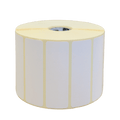 |
Zebra Z-Select 2000D800262-125 | 57.15 × 31.75 mm | Thermal Paper | 2100 | 25.4 mm | 63,00 zł+VATIn stock | |
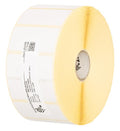 |
Zebra Z-Select 2000D880199-025D | 51 × 25 mm | Thermal Paper | 2580 | 25.4 mm | 63,00 zł+VATIn stock | |
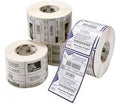 |
Zebra Z-Perform 1000D880595-025DU | 38.1 × 25.4 mm | Thermal Paper | 2580 | 25.4 mm | 53,00 zł+VATIn stock | |
 |
Zebra Z-Select 2000D800261-105 | 31.75 × 25.4 mm | Thermal Paper | 2580 | 25.4 mm | 42,00 zł+VATIn stock | |
 |
Zebra Z-Select 2000D800262-205 | 57 × 51 mm | Thermal Paper | 1370 | 25.4 mm | 63,00 zł+VATIn stock | |
 |
Zebra Z-Perform 1000D880175-031D | 50.8 × 31.75 mm | Thermal Paper | 2100 | 25.4 mm | 59,00 zł+VATIn stock | |
 |
Zebra Z-Select 2000D800261-107 | 38 × 25 mm | Thermal Paper | 2580 | 25.4 mm | 58,00 zł+VATIn stock | |
 |
Zebra Z-Select 2000D3007208-T | 31 × 22 mm | Thermal Paper | 2780 | 25.4 mm | 42,00 zł+VATIn stock | |
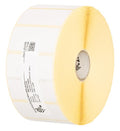 |
Zebra Z-Select 2000D800262-405 | 57.15 × 101.6 mm | Thermal Paper | 700 | 25.4 mm | 63,00 zł+VATIn stock | |
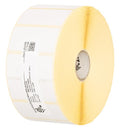 |
Zebra Z-Select 2000D3007207 | 25.4 × 76.2 mm | Thermal Paper | 930 | 25.4 mm | 39,00 zł+VATIn stock | |
 |
Zebra Z-Select 2000D3007209-T | 57 × 76 mm | Thermal Paper | 930 | 25.4 mm | 63,00 zł+VATIn stock | |
 |
Zebra Z-Select 2000D800262-075 | 57.15 × 19.05 mm | Thermal Paper | 3315 | 25.4 mm | 63,00 zł+VATIn stock | |
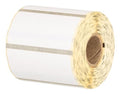 |
Zebra Z-Select 2000D Removable800262-127 | 57.15 × 31.75 mm | Thermal Paper | 2100 | 25.4 mm | 71,00 zł+VATIn stock | |
 |
Zebra Z-Select 2000D 190 Tag800999-005 | 32 × 57 mm | Thermal Paper | 600 | 25.4 mm | 41,00 zł+VATOut of stock | View |
 |
Zebra Z-Select 2000D 190 Tag800999-009 | 57 × 34.93 mm | Thermal Paper | 967 | 25.4 mm | 54,00 zł+VATIn stock | |
 |
Zebra Z-Perform 1000D3007189-T | 38.1 × 12.7 mm | Thermal Paper | 5050 | 25.4 mm | 88,00 zł+VATOut of stock | View |
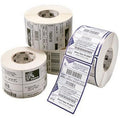 |
Zebra Z-Perform 1000D3008727-T | 50.8 × 38.1 mm | Thermal Paper | 1730 | 25.4 mm | 71,00 zł+VATOut of stock | View |
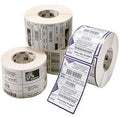 |
Zebra Z-Perform 1000D880169-012D | 31.75 × 12.7 mm | Thermal Paper | 4650 | 25.4 mm | 63,00 zł+VATOut of stock | View |
 |
Zebra Z-Perform 1000D880171-019D | 38.1 × 19.05 mm | Thermal Paper | 3300 | 25.4 mm | 73,00 zł+VATOut of stock | View |
 |
Zebra Z-Perform 1000D3007899-T | 57.15 × 38.1 mm | Thermal Paper | 1720 | 25.4 mm | 80,00 zł+VATOut of stock | View |
 |
Zebra Z-Perform 1000D3012789-T | 29 × 33 mm | Thermal Paper | 2000 | 25.4 mm | 57,00 zł+VATOut of stock | View |
 |
Zebra Z-Perform 1000D880599-101DU | 50.8 × 101.6 mm | Thermal Paper | 700 | 25.4 mm | 73,00 zł+VATOut of stock | View |
 |
Zebra Z-Perform 1000D880171-031D | 38.1 × 31.75 mm | Thermal Paper | 2100 | 25.4 mm | 73,00 zł+VATOut of stock | View |
 |
Zebra Z-Perform 1000D3011250-T | 57.15 × 31.75 mm | Thermal Paper | 2060 | 25.4 mm | 81,00 zł+VATOut of stock | View |
 |
Zebra Z-Perform 1000D880175-012D | 50.8 × 12.7 mm | Thermal Paper | 4650 | 25.4 mm | 74,00 zł+VATOut of stock | View |
 |
Zebra Z-Perform 1000D880169-076D | 31.75 × 76.2 mm | Thermal Paper | 930 | 25.4 mm | 71,00 zł+VATOut of stock | View |
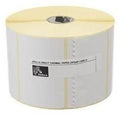 |
Zebra Z-Perform 1000D3012558-T | 40 × 40 mm | Thermal Paper | 1675 | 25.4 mm | 78,00 zł+VATOut of stock | View |
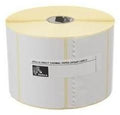 |
Zebra Z-Perform 1000D Removable3012759-T | 40 × 40 mm | Thermal Paper | 1710 | 25.4 mm | 85,00 zł+VATOut of stock | View |
 |
Zebra Z-Perform 1000D880173-012D | 44.45 × 12.7 mm | Thermal Paper | 4650 | 25.4 mm | 85,00 zł+VATOut of stock | View |
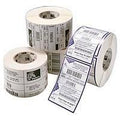 |
Zebra Z-Perform 1000D880173-019D | 44.45 × 19.05 mm | Thermal Paper | 3300 | 25.4 mm | 85,00 zł+VATOut of stock | View |
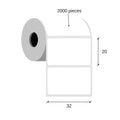 |
Thermal labels 32x20 / 2000 pcsKK001176 | 32 × 20 mm | Thermal Paper | 2000 | 25 mm | 17,00 zł+VATIn stock | |
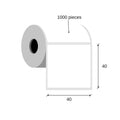 |
Paper direct thermal labels 40x40 / 1000 pcsKK000193 | 40 × 40 mm | Thermal Paper | 1000 | 40 mm | 15,00 zł+VATIn stock | |
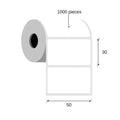 |
Thermal labels 50x30 / 1000 pcsKK000538 | 50 × 30 mm | Thermal Paper | 1000 | 40 mm | 17,00 zł+VATIn stock | |
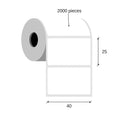 |
Thermal labels 40x25 / 2000 pcsKK000488 | 40 × 25 mm | Thermal Paper | 2000 | 40 mm | 42,00 zł+VATIn stock | |
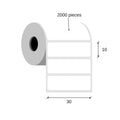 |
Thermal labels 30x10 / 2000 pcsKK000148 | 30 × 10 mm | Thermal Paper (Eco) | 2000 | 40 mm | 19,00 zł+VATIn stock | |
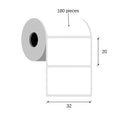 |
Thermal labels 32x20 / 180 pcsKK000798 | 32 × 20 mm | Thermal Paper (Eco) | 180 | 25 mm | 4,00 zł+VATIn stock | |
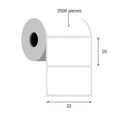 |
Paper thermal labels 32x20 / 2500 pcsKK001177 | 32 × 20 mm | Thermal Paper (Eco) | 2500 | 25 mm | 27,00 zł+VATIn stock | |
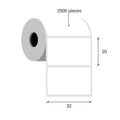 |
Paper thermal labels 32x20 / 2000 pcsKK000147 | 32 × 20 mm | Thermal Paper (Eco) | 2000 | 40 mm | 17,00 zł+VATIn stock | |
 |
Paper thermal labels 32x25 / 2000 pcsKK010227 | 32 × 25 mm | Thermal Paper (Eco) | 2000 | 25 mm | 13,00 zł+VATIn stock | |
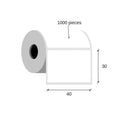 |
Paper thermal labels 40x30 / 1000 pcsKK001465 | 40 × 30 mm | Thermal Paper (Eco) | 1000 | 40 mm | 15,00 zł+VATIn stock | |
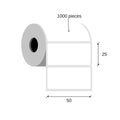 |
Thermal labels 50x25 / 1000 pcsKK000770 | 50 × 25 mm | Thermal Paper (Eco) | 1000 | 40 mm | 21,00 zł+VATIn stock | |
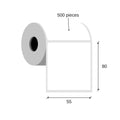 |
Paper thermal labels 55x80 / 500 pcsKK015950 | 55 × 80 mm | Thermal Paper (Top) | 500 | 40 mm | 27,00 zł+VATIn stock | |
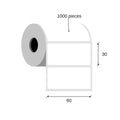 |
Thermal labels 60x30 / 1000 pcsETEBA-0600/0300-2100 | 60 × 30 mm | Thermal Paper (Eco) | 1000 | 40 mm | 20,00 zł+VATIn stock | |
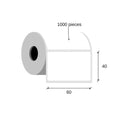 |
Thermal labels 60x40 / 1000 pcsKK010395 | 60 × 40 mm | Thermal Paper (Eco) | 1000 | 40 mm | 29,00 zł+VATIn stock | |
 |
Thermal labels 60x30 / 1000 pcsKK01726 | 60 × 30 mm | Thermal Paper | 1000 | 40 mm | 67,00 zł+VATIn stock | |
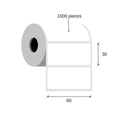 |
Thermal labels 60x30 / 1000 pcsKK01727 | 60 × 30 mm | Thermal Paper | 1000 | 40 mm | 67,00 zł+VATIn stock | |
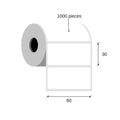 |
Thermal labels 60x30 / 1000 pcsKK01728 | 60 × 30 mm | Thermal Paper | 1000 | 40 mm | 75,00 zł+VATIn stock | |
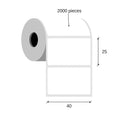 |
Paper thermal labels 40x25 / 2000 pcsKK069827 | 40 × 25 mm | Thermal Paper (Eco) | 2000 | 40 mm | 21,00 zł+VATIn stock | |
 |
Thermal labels 30x20 / 2000 pcsKK069868 | 30 × 20 mm | Thermal Paper (Eco) | 2000 | 40 mm | 17,00 zł+VATIn stock | |
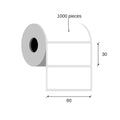 |
Thermal labels 60x30 / 1000 pcsKK070192 | 60 × 30 mm | Thermal Paper | 1000 | 40 mm | 23,00 zł+VATIn stock | |
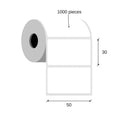 |
Thermal labels 50x30 / 1000 pcsKK001260 | 50 × 30 mm | Thermal Paper | 1000 | 40 mm | 17,00 zł+VATIn stock | |
 |
Thermal cardboard Tags 50x37 / 1000 pcsKK000318 | 50 × 37 mm | Thermal Cardboard | 1000 | 40 mm | 42,00 zł+VATIn stock | |
 |
Thermal labels 50x30 / 1000 pcsKK001109 | 50 × 30 mm | Thermal Paper | 1000 | 40 mm | 17,00 zł+VATIn stock |
No matching products.
More SLP DX220 guides
Related guides
Still stuck?
Contact support
Send us your model and a short description of the problem. Our team will help you find a solution.
