Comparison
TOUGHBOOK 55 vs G2: rugged laptop or rugged tablet?
A 14-inch semi-rugged laptop or a 10.1-inch fully rugged tablet? Compare the TOUGHBOOK 55 mk3 and G2 mk3 on battery, weight, ruggedness and expansion.
In this guide
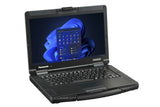
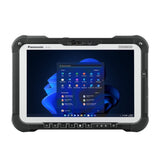
The TOUGHBOOK 55 mk3 is a semi-rugged 14-inch laptop with a built-in keyboard, up to 20 hours of runtime with its optional second battery, and the most expansion options. The TOUGHBOOK G2 mk3 is a fully rugged 10.1-inch tablet that you can turn into a 2-in-1 with an optional keyboard: lighter, tougher against drops, dust and water, and with a rear camera. Choose by where the device works: in a vehicle or on a desk, or in your hand outdoors.
Specifications side by side
| TOUGHBOOK 55 mk3 | TOUGHBOOK G2 mk3 | |
|---|---|---|
| Type | Laptop (clamshell) with handle | Tablet, optional detachable keyboard |
| Screen | 14.0 inch, 1366 × 768 or 1920 × 1080 touch | 10.1 inch, 1920 × 1200, touch and digitiser |
| Brightness | Up to 1,000 cd/m² (Full-HD touch) | Up to 1,000 cd/m² |
| Touch modes | Touch, Touch (Glove), Pen, Pen/Touch (touch model) | Pen, glove, rain |
| Processor | Intel Core i5-1345U vPro or i7-1370P vPro | Intel Core Ultra 5 135U vPro |
| Memory | 16 GB DDR4, up to 64 GB | 16 GB DDR5x, up to 32 GB |
| Storage | 512 GB SSD (up to 2 TB), optional second SSD | 512 GB SSD (up to 2 TB) |
| Battery life (MobileMark 25) | About 10 hours, about 20 hours with second battery | About 11 hours standard, 15 hours extended battery |
| Hot swap | With optional second battery | Models with built-in bridge battery (swap within 1 minute) |
| Weight | From 2.08 kg (2.22 kg touch) | Approx. 1.19 kg (standard battery) |
| Size | 345 × 272 × 32.8 mm | 279 × 188 × 23.5 mm |
| Drop rating | 91 cm | 180 cm |
| Dust and water | IP53 | IP65 |
| Standard ports | 2 × USB 3.2, Thunderbolt 4, HDMI, microSDXC, LAN | USB 3.2 Type-A, Thunderbolt 4, LAN |
| Expansion | 3 xPAK areas (left, right, rear) | 2 bays (top, rear) |
| Cameras | 2 MP IR front | 2 MP IR front, 13 MP rear with flash |
| Wireless | Wi-Fi 6E, Bluetooth 5.3, optional 4G or 5G | Wi-Fi 6E, Bluetooth 5.3, optional 4G or 5G |
| Ruggedness standard | MIL-STD-810H | MIL-STD-810H |
| Operating system | Windows 11 Pro | Windows 11 Pro |
Figures: Panasonic Europe product pages and mk3 Reference Manuals. Real battery life depends on use.
Choose the TOUGHBOOK 55 if
- Staff type a lot: reports, forms, diagnostics
- The device lives in a vehicle dock or on a desk
- You need the longest runtime: about 20 hours with two hot-swappable batteries
- You want legacy ports (VGA, serial), a DVD or Blu-ray drive, or a second SSD
- You need more than 32 GB of memory
Choose the TOUGHBOOK G2 if
- Staff work standing, walking or outdoors, often one-handed
- The device must survive rain, dust and drops of up to 1.8 m
- You want to scan barcodes, take photos or use a thermal camera
- Weight matters more than screen size
- You want a tablet and a laptop-style keyboard in one device
Expansion and accessories
Both models use user-replaceable modules, but they don't share them. On the 55, three xPAK areas take a second SSD, optical drives, smart card, fingerprint and HF-RFID readers, a second battery and rear I/O modules with VGA, true serial and extra LAN or USB. On the G2, the top bay takes a 2D barcode reader, serial, second USB, second LAN, a FLIR thermal camera or micro-SD; the rear bay takes a smart card, HF-RFID (NFC) or fingerprint reader.
The G2 keyboard (FZ-VEKG21L*) is rated IP65 and adds a USB 3.0 Type-A and a USB-C port. The 55 has a backlit, user-replaceable keyboard with four programmable keys. Docks are model-specific: Panasonic states that the 55 also works with TOUGHBOOK 54 docks from Gamber-Johnson and Havis, and the G2 mk3 manual lists the FZ-VEBG11AU and FZ-VEBG21 series cradles.
What is the same
Both run Windows 11 Pro on Intel vPro processors, use Panasonic's support site, drivers and Recovery Image Download Service, and have a 2 MP infrared camera for Windows Hello, Wi-Fi 6E, Bluetooth 5.3, nano-SIM plus eSIM (one active at a time) on mobile broadband models, and Thunderbolt 4. Setup and fixes for both are in the TOUGHBOOK 55 and G2 setup guide and TOUGHBOOK 55 and G2 troubleshooting.
Our models: TOUGHBOOK 55 mk3 (FZ-55J260KBG) · TOUGHBOOK G2 mk3 (FZ-G2NBMBGB4). Panasonic's full specifications: TOUGHBOOK 55 · TOUGHBOOK G2.
Frequently asked questions
Is the TOUGHBOOK 55 fully rugged?
Panasonic calls the 55 semi-rugged: IP53, MIL-STD-810H and a 91 cm drop rating. The G2 is fully rugged with IP65 and a 180 cm drop rating.
Which has the longer battery life?
It depends on the batteries: the 55 mk3 runs about 10 hours on one battery and 20 hours with the second battery; the G2 mk3 about 11 hours (standard) or 15 hours (extended), all MobileMark 25.
Can the TOUGHBOOK G2 replace a laptop?
With Panasonic's optional keyboard it works as a 2-in-1. For long typing sessions, a 14-inch screen, more memory or optical drives, the 55 is the better fit.
Do both have a barcode reader?
The G2 offers an optional 2D barcode reader in its top bay. For the 55, Panasonic lists a Universal Bay barcode reader for North America only; ask us about availability.
Was this guide helpful?
More TOUGHBOOK 55 guides
Related guides
Still stuck?
Contact support
Send us your model and a short description of the problem. Our team will help you find a solution.