How-to
Tablet charging stations for fire stations and EMS bases (RAM GDS)
Keep shared tablets, phones and handhelds charged between calls: RAM GDS multi-port and desktop docks, one IntelliSkin sleeve from vehicle to station, power needs and contact care.
In this guide
Fire station tablet charging works best when every shared tablet, phone and handheld has a fixed slot, and the crew takes a full one on the way to the vehicle. Here's how to plan a tablet charging station for a fire station or EMS base with RAM GDS docks and one IntelliSkin sleeve for vehicle and station. SCANSHOP is an official RAM Mounts reseller.

Before you start
You'll need
- Your shared devices: models, number, and the vehicle or role of each
- Your current or planned vehicle docks
- Whether each model supports USB Power Delivery (PD) charging
- A bench with a wall socket in a staff-only room
Which option to choose
RAM's fire and rescue page puts station charging under "Mobile Device Management": "Manage your device check-in and check-out with multi-port charging docks." That means charging and handing out devices, not MDM software; for enrolment and remote locking see our MDM guide for rugged devices.
| Option | Takes |
|---|---|
| GDS 6-port powered dock | Six tablets in IntelliSkin |
| GDS 6-port Power Delivery charger | Six phones or tablets in IntelliSkin Next Gen |
| 6-port dock for Tab Active | Six Galaxy Tab Active tablets in Samsung's case or a RAM Skin |
| GDS or ET6x desktop dock | One device at a desk |
Plan the tablet charging station and the check-in flow
Count the devices that need a home: vehicle tablets, crew phones, handhelds and a spare. Leave one slot free, then agree a routine:
- Number each device and its slot to match, or use the vehicle name.
- Check-out: take the charged device from its slot to the vehicle dock.
- Check-in: after the call, put it straight back.
- An empty slot shows what is out. RAM lists no tracking or lock for these docks: use a log or your MDM's device list, and a staff-only room.
Use one IntelliSkin sleeve in the vehicle and at the station
RAM's article on fire and rescue tablet deployments says: "One of the most common failure points in tablet deployment is the USB charging port." The IntelliSkin sleeve "converts the exposed USB port into ruggedized pogo pad contacts".
The sleeve stays on the device: in a GDS vehicle dock on the road, in a GDS desktop or multi-port dock at the station. RAM's EMS page calls it keeping devices "charged and at the ready from the station to the ambulance". Example: the IntelliSkin Next Gen sleeve for the Galaxy Tab Active5 fits the Locking GDS Tough-Dock in the vehicle, and both GDS 6-port docks list the Tab Active5. Vehicle set-ups: our fire truck tablet mount guide and ambulance tablet mount guide.
Check
In the vehicle, RAM: "Do not install this product near or over an airbag deployment area or in a location that obstructs the driver's vision or interferes with vehicle operation." Follow the vehicle maker's and RAM's instructions, and have a qualified installer hardwire the charger, fused as the instructions specify (see our hardwire charger guide).
Choose a multi-device charging dock
Each 6-port dock stands on a bench and charges six devices from one power cord. Pick the rugged tablet charging dock that matches your sleeve or case.

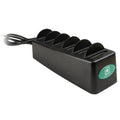
- GDS 6-Port Powered Dock (RAM-GDS-DOCK-6G16P): six tablets in IntelliSkin; RAM says it "will also support any other IntelliSkin Next Gen". Listed: iPads, Galaxy Tab A, Active and S models, Zebra EM45 and ET4x. RAM: "Plugs directly into standard wall outlets."
- GDS 6-Port Power Delivery Desktop Charger (RAM-GDS-DOCK-6G1PD-NGU): mixes phones and tablets in IntelliSkin Next Gen, such as the iPhone 15, Galaxy XCover7 and Tab Active5. RAM: 120 W total (20 W per port), 180 W power supply included.
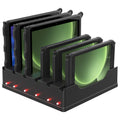
- RAM 6-Port Dock for Tab Active (RAM-DOCK-6G8PU): Galaxy Tab Active2 to Active5 Pro in Samsung's case or a RAM Skin, no IntelliSkin needed; RAM: not for a Tab Active3 or Active5 with a shoulder strap connected.
Important
The GDS 6-port docks need devices that support USB Power Delivery. RAM: "This dock will not support devices that do not support Power Delivery charging." Zebra's ET6x and ET8x 2-in-1 tablets are not on either list.
Recommended RAM station docks and sleeve

RAM MOUNTRAM Mounts GDS 6-Port Powered Desktop Dock for Tablets in IntelliSkinPart no. RAM-GDS-DOCK-6G16P
4.533,00 zł+VATIn stock

RAM MOUNTRAM Mounts GDS 6-Port Power Delivery Desktop Charger for IntelliSkin Next Gen Phones & TabletsPart no. RAM-GDS-DOCK-6G1PD-NGU
4.738,00 zł+VATAvailable on request

RAM MOUNTRAM Mounts IntelliSkin Next Gen Sleeve for Samsung Galaxy Tab Active5Part no. RAM-GDS-SKIN-SAM90-NG
602,00 zł+VATIn stock

RAM MOUNTRAM Mounts 6-Port Charging Dock for Samsung Galaxy Tab Active5 Pro, Active4 Pro, Active5 & Active3Part no. RAM-DOCK-6G8PU
3.475,00 zł+VATAvailable on request
Buying for a fleet or a tender? Ask us for a quote.
Get a quoteVideo: RAM Mounts
Add desktop docks for desks and 2-in-1 tablets
A single dock suits the duty room or an officer's desk.
- GDS Desktop Dock with Power Delivery & Peripheral Port (RAM-GDS-DOCK-D7AU): phones and small tablets in IntelliSkin, with a USB-A port for a keyboard, hub or scanner.
- GDS Desktop Dock for large tablets (RAM-GDS-DOCK-D9U): for larger tablets in IntelliSkin.
- RAM Desktop Dock for Zebra ET6x (RAM-DOCK-ZE25U): ET60, ET65 and ET65W, with two USB-C ports, one USB-A port and RJ45 Ethernet; RAM's kit includes a 60 W power supply.
RAM lists a built-in 1 m USB-C cord, not a wall charger, for the GDS desktop docks, so plan a USB-C Power Delivery charger. For the Zebra ET8x, our RAM range has mounted docks but no desktop dock; ask us about station charging. Cold tablets from a winter call may not charge until warm: Zebra specifies 5–40 °C for charging the ET6x battery.
Recommended RAM desktop docks

RAM MOUNTRAM Mounts GDS Desktop Dock with Power Delivery & USB-A Peripheral Port for IntelliSkinPart no. RAM-GDS-DOCK-D7AU
763,00 zł+VATIn stock

RAM MOUNTRAM Mounts Desktop Dock for Zebra ET6x with USB-C, USB-A & RJ45Part no. RAM-DOCK-ZE25U
2.793,00 zł+VATIn stock
Buying for a fleet or a tender? Ask us for a quote.
Get a quoteSet up and test the station
- Put the docks on a stable, dry bench; RAM lists no wall bracket for the multi-port docks.
- Plug each dock into a fixed wall socket, not a chain of extension leads.
- Label slots and devices.
- If a device doesn't charge, follow RAM's multi-port dock checklist: cord firmly in, socket tested with another device, IntelliSkin connector secure, sleeve seated properly, contacts clean.
Wall docks: RAM's PoE W8 wall dock for European outlet boxes is for the IntelliSkin Thin-Case with rear pogo pads, not the Next Gen sleeve.
Keep the contacts clean
RAM's GDS cleaning guides say connection problems often need only a cleaning:
- Dock pogo pins: take the device out, spray a moderate amount of contact cleaner on the pins and wipe between them with a cotton swab until no residue or excess cleaner is left.
- IntelliSkin pogo pads: turn a swab wet with 70% isopropyl alcohol against each pad 2–4 times; repeat until clean. For heavy build-up or lost connection, RAM suggests a DeoxIT pen, then one clean with isopropyl alcohol.
- How often: RAM: "For industrial and heavy use environments, clean pogo pins and contacts on a regular basis."
A Zebra example from RAM:
Video: RAM Mounts
Note
This is contact care, not disinfection guidance. To disinfect devices and sleeves, follow the device maker's instructions and your hygiene rules.
Equipping a whole station or fleet? Send us your device models and vehicles for a quote; we'll match sleeves and docks.
Frequently asked questions
What is the best tablet charging station for a fire station?
A GDS 6-port dock for tablets in IntelliSkin, the sleeve the vehicle dock also uses, or RAM's 6-port Tab Active dock for Tab Actives in Samsung's case.
Can one IntelliSkin sleeve work in the vehicle and at the station?
Yes, if both docks list the device, as with the Galaxy Tab Active5.
Does the RAM 6-port dock charge Zebra ET60 or ET80 tablets?
No. RAM's lists don't include the ET6x or ET8x. For the ET6x, use RAM's ET6x desktop dock.
Is RAM's "Mobile Device Management" MDM software?
No. On RAM's fire and rescue page it means check-in and check-out with multi-port charging docks.
How do you clean RAM GDS charging contacts?
RAM: 70% isopropyl alcohol or contact cleaner on a cotton swab, regularly in heavy use.
Was this guide helpful?
Used in this guide
Compatible consumables and accessories for the RAM Mounts GDS 6-Port Powered Desktop Dock for Tablets in IntelliSkin (RAM-GDS-DOCK-6G16P).
Products used in this guide
| Product | Price | ||
|---|---|---|---|
 |
RAM Mounts GDS 6-Port Powered Desktop Dock for Tablets in IntelliSkinRAM-GDS-DOCK-6G16P | 4.533,00 zł+VATIn stock | |
 |
RAM Mounts GDS 6-Port Power Delivery Desktop Charger for IntelliSkin Next Gen Phones & TabletsRAM-GDS-DOCK-6G1PD-NGU | 4.738,00 zł+VATOut of stock | View |
 |
RAM Mounts IntelliSkin Next Gen Sleeve for Samsung Galaxy Tab Active5RAM-GDS-SKIN-SAM90-NG | 602,00 zł+VATIn stock | |
 |
RAM Mounts 6-Port Charging Dock for Samsung Galaxy Tab Active5 Pro, Active4 Pro, Active5 & Active3RAM-DOCK-6G8PU | 3.475,00 zł+VATOut of stock | View |
 |
RAM Mounts GDS Desktop Dock with Power Delivery & USB-A Peripheral Port for IntelliSkinRAM-GDS-DOCK-D7AU | 763,00 zł+VATIn stock | |
 |
RAM Mounts Desktop Dock for Zebra ET6x with USB-C, USB-A & RJ45RAM-DOCK-ZE25U | 2.793,00 zł+VATIn stock |
No matching products.
Related guides
Still stuck?
Contact support
Send us your model and a short description of the problem. Our team will help you find a solution.
