How-to
RAM GDS hardwire charger for 12 V and 24 V vehicles
Power rugged tablets, handhelds and docks in cars, vans and trucks with RAM GDS hardwire chargers: pick input range and output, choose ignition or constant power, fuse it and route cables safely.
In this guide
A RAM GDS hardwire charger connects a vehicle dock or tablet holder straight to the vehicle's electrical system, so rugged tablets and handhelds charge whenever the vehicle runs. Here's how to choose the right hardwire charger for 12 V and 24 V vehicles and plan a safe installation. See also our RAM Mounts guide for defence, security and public-safety vehicles.

Before you start
You'll need
- The vehicle's system voltage, from its documentation or workshop
- Your dock's power input (USB-C, 5.5 mm DC or USB-A) and the device's power need
- The charger's instructions and the vehicle maker's accessory rules
- A qualified vehicle electrician or installer
Shortcut from RAM's Hardwire Charger Compatibility Guide: on rammount.com, the "Add-on & Accessories" section of each dock lists the chargers that fit it.
Find the vehicle's system voltage
Passenger cars and most vans use 12 V. Heavy trucks, buses and many special-purpose vehicles use 24 V. Electric forklifts can run higher. With the engine running, the voltage sits above the nominal value while the alternator charges, so the charger's input range must cover more than the battery label.
RAM's guide sums it up: fuel-powered vehicles such as cars, trucks and propane forklifts typically work with chargers for about 10–32 V; electric forklifts need about 24–64 V.
Check
Never guess the voltage of a rescue, police or other special vehicle. Confirm it before you order, and contact us if it runs above 64 V.
Choose the hardwire charger for the device's power need
The charger must fit the vehicle (input) and the dock (connector and output voltage). RAM matches chargers to the dock's power connector: USB-C input, 5.5 mm DC input (pick the right output voltage) or USB-A on handheld docks.
| Charger | Input | Output | Use it for |
|---|---|---|---|
| RAM-GDS-CHARGE-V3C-3U | 10–30 V DC | USB-C PD, 5–15 V, 3 A (45 W) | Cars, vans and 24 V trucks |
| RAM-GDS-CHARGE-V3CH-2U | 30–64 V DC | USB-C PD, 5–15 V, 3 A (45 W) | Electric forklifts, 30–64 V |
| RAM-GDS-CHARGE-V10U | 10–30 V DC | 12 V, 3.5 A, 5.5 mm plug | Docks and holders that need 12 V |
| RAM-GDS-CHARGE-V11U | 10–32 V DC | 19 V, 3.5 A, 5.5 mm plug | Docks that need 19 V |
RAM notes that some devices need Power Delivery and some don't recognise it, so check the dock's page or ask us before you combine parts.
Recommended RAM GDS hardwire chargers

RAM MOUNTRAM Mounts GDS Modular USB-C Power Delivery Hardwire Charger 45 W, 10–30 V InPart no. RAM-GDS-CHARGE-V3C-3U
674,00 zł+VATIn stock

RAM MOUNTRAM Mounts GDS Modular USB-C Power Delivery Hardwire Charger 45 W, 30–64 V InPart no. RAM-GDS-CHARGE-V3CH-2U
712,00 zł+VATIn stock

RAM MOUNTRAM Mounts GDS Hardwire Charger, 10–32 V In, 19 V DC Out, 5.5 mm PlugPart no. RAM-GDS-CHARGE-V11U
316,00 zł+VATIn stock

RAM MOUNTRAM Mounts GDS Hardwire Charger, 10–30 V In, 12 V DC Out, 5.5 mm PlugPart no. RAM-GDS-CHARGE-V10U
308,00 zł+VATIn stock
Buying for a fleet or a tender? Ask us for a quote.
Get a quoteSCANSHOP is an official RAM Mounts reseller. Send us the vehicle voltage and your dock's part number, and we'll check which charger RAM lists for it.
Laptops and Windows tablets. The Power Delivery chargers give at most 15 V at 3 A, and RAM lists its DC-plug chargers for docks, not laptops. Many laptops need 20 V or more than 45 W, so for a laptop on a RAM Tough-Tray use the laptop maker's vehicle adapter. Some rugged tablets need one too: Getac lists a 120 W vehicle adapter for its F120 tablet.
Fixed USB sockets. For charging by cable, our catalogue also has Comount built-in USB chargers, such as the Comount single USB-C built-in charger; see its product page for specifications.
Choose ignition-switched or constant power
RAM's wiring diagram shows two feeds: "Direct to Battery" ("Charging capability always on") or "To Cab Fuse Block" ("Charging capability on ignition"), with the ground to a chassis ground point.
- Ignition-switched: charging stops with the ignition off, so the charger can't drain the vehicle battery.
- Constant power: devices keep charging with the engine off but draw from the starter battery. Ask your installer about a low-voltage cut-off.
Let a qualified installer choose the feed point, following the vehicle maker's rules. Never take power from an airbag or other safety circuit.
Fuse the circuit and route the cables
For the DC-plug chargers V10U and V11U, RAM's specifications list a "3A Inline ATC Fuse". For the USB-C Power Delivery chargers, RAM publishes no fuse rating; your installer sizes that fuse for the cable and load and fits it close to the power source.
- Keep the charger, cables and dock away from airbag deployment areas, including trim covering curtain or knee airbags.
- Keep cables clear of pedals, seat rails, the steering column and hot surfaces.
- Protect cables at metal edges and fix them so they can't chafe.
- Mount the charger where it stays dry and can't be kicked.
Important
RAM's safety precaution: "Do not install this product near or over an airbag deployment area or in a location that obstructs the driver’s vision or interferes with vehicle operation." Leave the wiring to a qualified installer.
Connect the dock and test charging
Connect the charger to the dock, insert the device and check that it charges with the ignition on. With constant power, check again with the ignition off. If it doesn't charge, check the plugs and dock contacts first.
- Heated pins: the key-locking dock for Zebra TC73/TC78 has heating elements that RAM says stop the pogo pins locking up in wet and freezing environments (no temperature figure given). It takes power through USB-C.
- Passive holders: for its locking holder for Getac ZX70, RAM names the chargers RAM-GDS-CHARGE-V9U and V10U (RAM: the V10-1U, with its larger plug, doesn't fit).
RAM docks and holders for hardwired power

RAM MOUNTRAM Mounts GDS Locking Powered Dock with USB-A and Heated Pins for Zebra TC73/TC78Part no. RAM-GDS-DOCKL-V12-ZE35CPDHU
1.778,00 zł+VATIn stock

RAM MOUNTRAM Mounts Key-Locking Form-Fit Holder for Getac ZX70, Temp Module CompatiblePart no. RAM-HOL-GE3FKLU
1.064,00 zł+VATIn stock
Buying for a fleet or a tender? Ask us for a quote.
Get a quoteMore options: rugged tablet vehicle mounts from RAM Mounts.
Check the cold-weather limits
RAM rates both GDS Power Delivery chargers for operation from −20 °C to +70 °C, and the DC-plug chargers above from −10 °C to +70 °C, with no rating below that. A parked vehicle in a Nordic or Baltic winter can get colder inside, so mount the charger in the cabin, not the engine bay, and let the cabin warm up before relying on charging.
Devices have their own limits: Zebra gives 5–40 °C as the charging temperature of the ET60 and ET65, so a cold tablet may wait to charge.
Common mistakes
- A 10–30 V charger on an electric forklift.
- Choosing by plug only, ignoring the output voltage the dock needs.
- Expecting a 45 W USB-C charger to run a 20 V laptop.
- No fuse, or a fuse far from the power source.
- Cables through an airbag zone.
- Constant power in vehicles that stand for days.
Frequently asked questions
Can I use a RAM GDS hardwire charger in a 24 V truck?
Yes. RAM says cars and trucks typically work with its chargers for about 10–32 V, such as the 10–30 V RAM-GDS-CHARGE-V3C-3U. Electric forklifts need a higher input range; RAM gives about 24–64 V.
What size fuse does the RAM GDS hardwire charger need?
RAM lists a 3 A inline ATC fuse for the DC-plug chargers V10U and V11U, but no rating for the USB-C Power Delivery chargers; there, a qualified installer sizes it.
Will the 45 W USB-C hardwire charger charge a laptop?
Only if the laptop accepts USB-C Power Delivery at up to 15 V and 3 A. Many need 20 V; check the laptop maker's specification.
Should the charger be on ignition or constant power?
Ignition-switched power is the safer default because it can't drain the vehicle battery. Use constant power only when devices must charge with the engine off.
Does the RAM hardwire charger work at −30 °C?
RAM rates the GDS Power Delivery chargers from −20 °C to +70 °C and publishes no rating below that. Mount the charger in the cabin and let the cabin warm up first.
Was this guide helpful?
Used in this guide
Compatible consumables and accessories for the RAM Mounts GDS Modular USB-C Power Delivery Hardwire Charger 45 W, 10–30 V In (RAM-GDS-CHARGE-V3C-3U).
Products used in this guide
| Product | Price | ||
|---|---|---|---|
 |
RAM Mounts GDS Modular USB-C Power Delivery Hardwire Charger 45 W, 10–30 V InRAM-GDS-CHARGE-V3C-3U | 674,00 zł+VATIn stock | |
 |
RAM Mounts GDS Modular USB-C Power Delivery Hardwire Charger 45 W, 30–64 V InRAM-GDS-CHARGE-V3CH-2U | 712,00 zł+VATIn stock | |
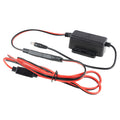 |
RAM Mounts GDS Hardwire Charger, 10–32 V In, 19 V DC Out, 5.5 mm PlugRAM-GDS-CHARGE-V11U | 316,00 zł+VATIn stock | |
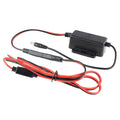 |
RAM Mounts GDS Hardwire Charger, 10–30 V In, 12 V DC Out, 5.5 mm PlugRAM-GDS-CHARGE-V10U | 308,00 zł+VATIn stock | |
 |
RAM Mounts GDS Locking Powered Dock with USB-A and Heated Pins for Zebra TC73/TC78RAM-GDS-DOCKL-V12-ZE35CPDHU | 1.778,00 zł+VATIn stock | |
 |
RAM Mounts Key-Locking Form-Fit Holder for Getac ZX70, Temp Module CompatibleRAM-HOL-GE3FKLU | 1.064,00 zł+VATIn stock |
No matching products.
Related guides
Still stuck?
Contact support
Send us your model and a short description of the problem. Our team will help you find a solution.
